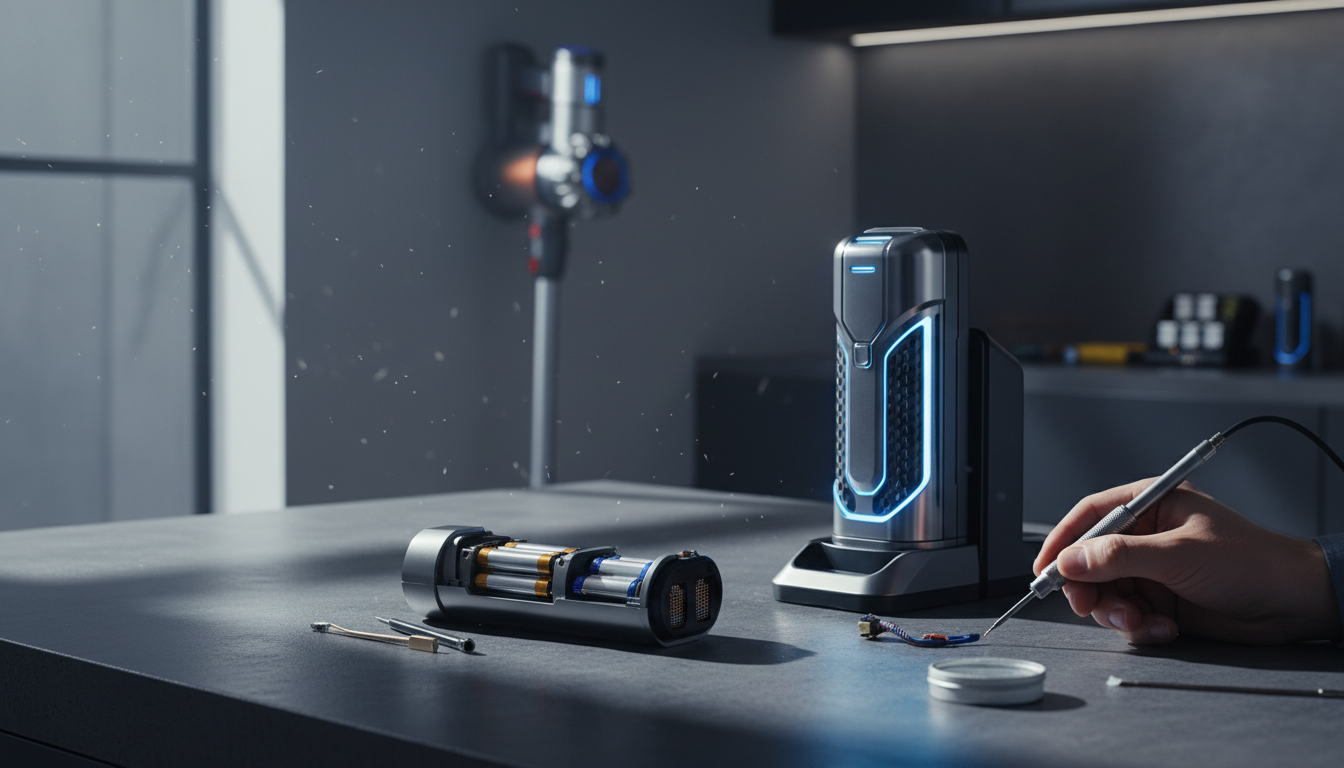
The Cordless Revolution and the Battery Bottleneck
The transition from corded uprights to sleek, cordless stick vacuums represents one of the most significant shifts in home maintenance technology over the last decade. We have moved from a world of tethered limitation—searching for outlets and tripping over cables—to a world of "grab-and-go" convenience. However, this freedom comes with a psychological and technical price: range anxiety. Nothing halts a productive cleaning session faster than the sudden, red-flashing LED indicating your machine has run out of juice. If you find your cordless vacuum battery not lasting as long as it used to, or if it never reached those lofty manufacturer claims in the first place, you are dealing with the inherent limitations of Lithium-ion (Li-ion) chemistry and mechanical efficiency.
Understanding cordless vacuum battery life is not just about the battery itself; it is about the entire ecosystem of the machine. Manufacturers often advertise runtimes of 60 or even 70 minutes, but these figures are typically achieved on the lowest power setting, using non-motorized tools, on hard floors. In the real world, where we use high-torque brush heads on thick carpets in "Max" or "Boost" mode, that runtime can plummet to a mere 8 to 12 minutes. This discrepancy creates a massive gap between consumer expectations and reality.
As a professional in the appliance repair and maintenance space, I have seen thousands of units returned or discarded simply because the user didn’t understand how to extend cordless vacuum battery performance through proper maintenance and habit adjustment. The battery is the most expensive component of your vacuum, often costing 30% to 50% of the total unit price to replace. Therefore, mastering the art of battery preservation is not just about convenience—it’s about protecting a significant financial investment. In this guide, we will dissect the technical failures that lead to premature battery death and provide a professional-grade roadmap to doubling your effective cleaning time.
The Critical Problem: Why Cordless Batteries Fail Prematurely
To solve the problem of a dying vacuum, we must first understand the "silent killers" of Li-ion cells. Unlike the older Nickel-Cadmium (NiCd) batteries that suffered from "memory effect," modern Li-ion batteries suffer from three primary enemies: heat, deep discharge, and internal resistance.
The Heat Factor and "Max Mode" Abuse
Heat is the absolute enemy of battery longevity. When you engage "Max" or "Boost" mode, you are asking the battery to discharge at its maximum C-rate. This rapid chemical reaction generates significant internal heat. If the vacuum’s airflow is even slightly restricted, that heat cannot dissipate. Over time, high temperatures cause the electrolyte inside the cells to break down, forming a solid-electrolyte interphase (SEI) layer that increases internal resistance. Once this happens, the battery has to work even harder to provide the same amount of power, creating a "death spiral" of heat and degradation.
The "Empty to Full" Fallacy
Many users treat their cordless vacuum like a fuel tank—running it until it completely dies and then charging it to 100%. This is catastrophic for Li-ion health. Each time a battery hits 0%, it undergoes chemical stress that can lead to "voltage sag." Conversely, keeping a battery at 100% while sitting on a charger in a warm room causes "trickle-charge" stress. The "Goldilocks Zone" for battery chemistry is generally between 20% and 80%. While most modern Battery Management Systems (BMS) have buffers to prevent true zero, frequent deep discharges will significantly shorten the total cycle life of the unit.
Mechanical Drag: The Hidden Power Thief
We often blame the battery when the culprit is actually the motor head. A cordless vacuum is a system of moving parts. If the brush bar is tangled with hair or the bearings are seized with grit, the motor must draw significantly more current to maintain its RPM. This increased current draw translates directly into reduced runtime. It is the electrical equivalent of driving a car with the parking brake partially engaged. You might blame the gas tank for the poor mileage, but the problem is the friction.
Airflow Resistance and Motor Stress
A vacuum works by creating a pressure differential. If your filters are clogged with fine dust (even if they look "cleanish"), the motor must spin at a higher frequency to overcome the static pressure. Modern digital motors are incredibly efficient but also highly sensitive to resistance. A 20% reduction in airflow can lead to a 15% increase in power consumption as the BMS tries to compensate for the loss of suction. This is why a "dirty" vacuum is the primary cause of poor cordless vacuum battery life.
Methodology: The Professional Guide to Improving Runtime
Improving your vacuum's runtime requires a two-pronged approach: mechanical optimization and chemical preservation. By following this methodology, you can often reclaim 20-30% of "lost" runtime without replacing a single part.
1. The Airflow Audit (Critical Maintenance)
The most effective way to extend cordless vacuum battery life is to minimize the work the motor has to do.
- Deep Clean Filters: Don't just tap the dust off. Wash your HEPA and pre-motor filters in lukewarm water (no soap) and let them air dry for a full 24-48 hours. If the filter is more than 12 months old, replace it. A fresh filter offers the lowest resistance.
- Clear the Airway: Check the "neck" of the vacuum and the wand for partial blockages. Even a small clump of lint or a stuck penny creates turbulence that forces the motor to draw more current.
- Bin Management: Never let your dust bin exceed the "Max" line. A full bin disrupts the cyclonic separation, forcing fine dust into the filters, which immediately increases motor load.
2. Drive-System Optimization
The motorized floor tool is the largest consumer of power after the main motor.
- Hair Removal: Use a seam ripper or scissors to remove every strand of hair wrapped around the brush roll. Hair adds weight and friction.
- Bearing Check: Remove the brush roll and check the end caps. If they don't spin freely, clean out the trapped grit.
- Soleplate Inspection: Ensure the wheels and felt strips on the bottom of the tool are clean. If the tool "sticks" to the floor too hard, it creates a vacuum seal that makes the motor struggle.
3. Strategic Power Management
Stop using "Max" mode as your default.
- The 80/20 Rule: Use "Eco" or "Medium" for 80% of your cleaning. These modes are significantly more efficient and keep the battery cool. Reserve "Max" only for specific spots of heavy debris or deep carpet cleaning.
- Auto-Mode Utilization: If your vacuum has an "Auto" or "Med" mode that adjusts suction based on floor type, use it. It optimizes the power draw dynamically, which is much better for the battery than a constant high-drain state.
4. Thermal and Charging Discipline
- Cool Down Before Charging: Never plug your vacuum in immediately after a heavy cleaning session. The battery cells are hot. Charging a hot battery accelerates chemical degradation. Wait 15–30 minutes for the unit to reach room temperature.
- Storage Environment: Store your vacuum in a cool, dry place. Avoid utility closets that share a wall with a furnace or water heater. Heat during storage is just as damaging as heat during use.
- Partial Charging: If you only used the vacuum for 5 minutes, you don't necessarily need to top it up to 100%. If you can, try to keep the battery between 20% and 80% for daily use, doing a full 100% charge once a week to allow the BMS to balance the cells.
Cordless Vacuum Cleaner, 550W/50Kpa/70Mins Vacuum Cleaners for Home with Smart Auto Mode/LED Touch D
- High-quality product
- Customer favorite
- Best value option

ElecKeys Cordless Vacuum Cleaner, 600W 50KPA 70Mins Self-Standing Vacuum Cleaners for Home, Stick Va
- High-quality product
- Customer favorite
- Best value option

Cordless Vacuum Cleaner, 2 Batteries 110 Mins Runtime Vacuum Cleaners for Home, 45KPA 550W Stick Vac
- High-quality product
- Customer favorite
- Best value option
Expert Hacks & Maintenance (Advanced)
For those looking to push their cordless vacuum battery life to the absolute limit, these professional-grade hacks address the nuances of electronic and mechanical efficiency.
Contact Cleaning
Over time, the metal contact points between the battery and the vacuum (and between the wand and the floor tool) can develop a layer of oxidation. This increases electrical resistance, leading to power loss and heat. Every few months, use a cotton swab with a tiny amount of high-percentage Isopropyl Alcohol (90%+) to clean these contacts. Ensuring a "low-loss" connection ensures the motor gets every milliamp it needs without the battery having to over-compensate.
The "Pulse" Technique
When vacuuming hard floors, many users hold the trigger down continuously. If your vacuum has a trigger (rather than an on/off switch), practice "pulsing." Release the trigger when moving between patches of dirt or when turning. It sounds minor, but saving 2 seconds of motor runtime every 10 seconds adds up to a 20% increase in total cleaning area per charge.
Swappable Battery Ecosystems
If you are in the market for a new unit, prioritize models with "click-in" or swappable batteries. This is the single best way to extend cordless vacuum battery utility. By having two batteries, you can use one while the other cools and charges. Furthermore, when one battery eventually degrades (as all Li-ion cells do after 300-500 cycles), you don't have to throw away the entire vacuum—you just swap the module.
Firmware Updates
Believe it or not, high-end cordless vacuums (like newer Dyson or Tineco models) occasionally receive firmware updates via Wi-Fi or Bluetooth. These updates often include optimizations for the Battery Management System to better handle aging cells or to improve motor efficiency. Always ensure your "smart" vacuum is up to date.
Mega FAQ: Expert Answers to Your Battery Woes
1. Why does my vacuum die in 10 minutes when the box said 60?
The 60-minute claim is based on "Eco Mode" with a non-motorized tool (like a crevice tool). Using the motorized floor brush on carpet in "Max Mode" consumes roughly 5-6 times more power, leading to the 10-minute reality.
2. Is it bad to leave the vacuum on the charger all the time?
Modern, high-quality vacuums have BMS units that stop charging once 100% is reached. However, keeping it at 100% in a warm room can still cause slight degradation. If you aren't going to use the vacuum for more than a week, it's best to leave it at 50% charge.
3. Can I use a "knock-off" replacement battery from eBay or Amazon?
Proceed with extreme caution. Genuine batteries use high-drain cells with specific internal resistance ratings. Cheap replacements often use "laptop-grade" cells that cannot handle the high current draw of a vacuum motor, leading to overheating or even fire risks.
4. How do I know if my battery is actually dying?
If the runtime has dropped significantly despite clean filters and a clear brush bar, or if the vacuum cuts out during "Max Mode" even when showing charge, one or more cells within the pack have likely failed or become unbalanced.
5. Does cold weather affect the battery?
Yes. Li-ion batteries hate the cold. If you store your vacuum in a garage during winter, the internal resistance increases, and you will see a massive drop in runtime. Always store and charge at room temperature.
6. Should I wait for the battery to hit 0% before charging?
No! This is a myth held over from the days of NiCd batteries. Deeply discharging a Li-ion battery is one of the fastest ways to kill it. Charge it whenever it hits 20%.
7. Why does my vacuum feel hot near the battery?
Moderate warmth is normal during use. However, if it’s too hot to touch comfortably, you likely have a clog in the filters or a blockage in the wand, forcing the battery to discharge at a dangerous rate.
8. How many years should a cordless vacuum battery last?
With good care, a battery should provide 2 to 4 years of solid performance. If you use "Max Mode" daily and never clean the filters, it may fail in under 12 months.
9. Does the "Auto" mode really save battery?
Yes. It uses acoustic sensors or resistance sensors to detect floor types. It saves power on hard floors and only ramps up when it detects the resistance of carpet fibers.
10. Can washing the filters really improve battery life?
Absolutely. A clogged filter is like trying to breathe through a straw while running. The motor works harder, draws more amps, and drains the battery faster.
11. My vacuum pulses on and off; is the battery dead?
Usually, this isn't a battery issue. Pulsing is a safety feature indicating a total blockage or a very dirty filter. The vacuum is protecting the motor from overheating.
12. Is there a "break-in" period for new batteries?
No. Lithium-ion batteries are ready to go from the first charge. However, it is often recommended to give them one full charge to 100% before the first use to calibrate the BMS.
13. Does using the mini-motorized tool for stairs drain the battery fast?
Yes, any motorized tool draws extra power. The mini-tool is slightly more efficient than the large floor tool, but it still draws more than a simple crevice tool.
Closing Thoughts
The longevity of your cordless vacuum is not a matter of luck; it is a matter of physics. By shifting your perspective from "it's just a battery problem" to "it's an efficiency problem," you can significantly extend cordless vacuum battery life and maintain that "out-of-the-box" suction power for years.
Remember the hierarchy of battery care: Airflow first, Mechanical friction second, and Thermal management third. Keep your filters pristine, your brush bars clear of hair, and avoid the temptation of the "Max" button for routine cleaning. If you treat your vacuum as a high-performance machine rather than a disposable appliance, it will reward you with a cleaner home and a much healthier bank account. Modern cordless technology is incredible, but it requires a disciplined user to truly shine. Optimize your habits today, and you’ll never find yourself stranded with a half-cleaned room and a dead battery again.