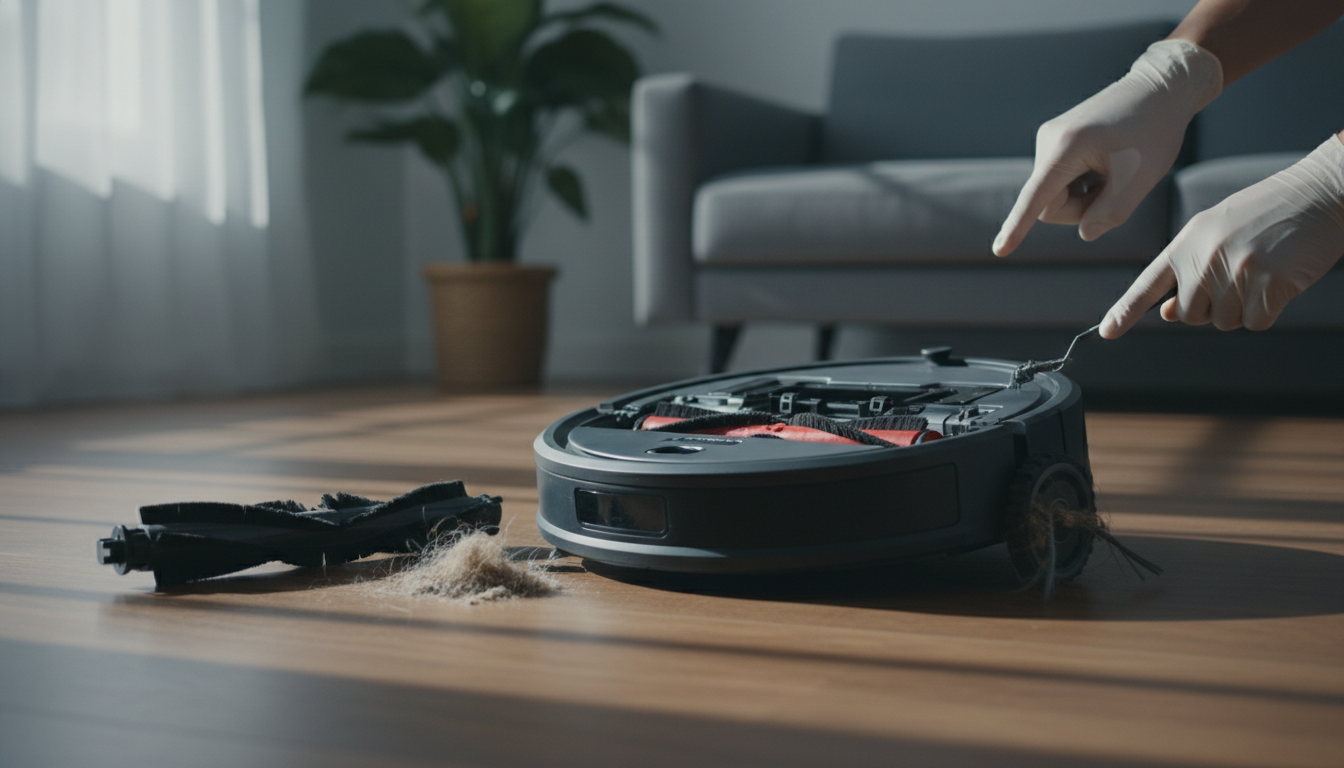
The Symphony of Malfunction: Why Your Roomba’s Noise Matters
For most homeowners, the rhythmic, low-frequency hum of an iRobot Roomba signifies a clean home achieved with zero effort. It is the sound of modern convenience. However, when that predictable whir transforms into a jarring grind, a rhythmic click, or a high-pitched squeal, the psychological shift is immediate. A roomba making noise is more than just a domestic nuisance; it is a mechanical distress signal. As an expert in robotic vacuum maintenance, I can tell you that ignoring these auditory warnings is the fastest way to turn a $500 investment into a high-tech paperweight.
The Roomba is a masterpiece of modular engineering, but its greatest strength—its ability to navigate through hair, dust, and debris—is also its primary vulnerability. These devices operate in "the trenches" of your home, encountering everything from carpet fibers to pet dander and forgotten Lego pieces. When your roomba loud noise issues begin, they usually indicate that the friction-reduction systems are failing. Whether it is a piece of grit lodged in the gearbox or a clump of hair strangling the brush bearings, the noise is the result of a component struggling against resistance it wasn't designed to handle.
Understanding the "why" behind the noise requires a shift in perspective. You must stop seeing the Roomba as a single machine and start seeing it as a collection of four independent motor systems: the side brush, the main extractors, the vacuum suction motor, and the drive wheels. Each of these systems produces a distinct "noise profile" when failing. A clicking sound often points to the side brush or a foreign object in the rollers. A grinding sound usually emanates from the Cleaning Head Module (CHM) gears. A high-pitched whistle is almost always an airflow issue within the bin or filter.
In this mega guide, we will move beyond basic troubleshooting. We will perform a deep-dive diagnostic to isolate the source of the sound, provide professional-grade methodologies for repair, and discuss the preventative measures that will extend your robot's lifespan by years. This is not just about silencing a gadget; it is about restoring the peak mechanical efficiency of your automated cleaning partner. Let’s diagnose the discord and bring back the quiet efficiency you expect.
The Critical Problem: Expert Analysis of Acoustic Failure
When a technician hears a roomba making noise, they are performing an internal "mechanical audit" in their head. To fix the problem, you must first understand the physics of what is going wrong. Most noise issues in robotic vacuums stem from three critical failure points: Torsional Resistance, Airflow Obstruction, and Gearbox Contamination.
Torsional Resistance and the "Hair Wrap" Phenomenon
The most common cause of a roomba loud noise is torsional resistance. Roomba’s dual multi-surface brushes are designed to counter-rotate. When hair (especially long human hair or pet fur) gets caught in the ends of the rollers, it migrates toward the bearings. As the hair packs tighter, it creates a shim that pushes against the plastic housing. This increases the torque required by the motor to spin the brushes. The "grinding" or "thumping" you hear is often the motor struggling to overcome this friction, or the gears inside the Cleaning Head Module (CHM) slipping because the load is too high. If left unaddressed, this heat buildup can melt the plastic brush pegs or burn out the CHM motor entirely.
Gearbox Contamination
Unlike the sealed engines in a car, Roomba gearboxes (particularly in older 600, 700, and 800 series models) are not perfectly airtight. Over months of operation, ultra-fine dust penetrates the gear housing. This dust mixes with the factory lubricant to create a "grinding paste." This abrasive slurry slowly eats away at the plastic gear teeth. The resulting noise is a high-pitched "whir" or a "growl" that gets louder over time. In newer "e", "i", and "j" series models, the gearboxes are better protected, but the side-brush module remains highly susceptible to this type of internal debris ingress.
Airflow Turbulence
If your Roomba sounds like a jet engine or is emitting a high-pitched whistle, the issue isn't mechanical—it's pneumatic. The vacuum motor (located inside the dust bin in most models) relies on a clear path of air to cool itself and provide suction. When a filter becomes "blinded" (pores clogged with microscopic dust) or the seals around the bin are compromised, the air must squeeze through smaller openings at higher velocities. This creates the "whistling" or "screeching" sound. Furthermore, if the motor itself is imbalanced due to a piece of debris hitting the internal fan blades (impeller), it will produce a vibration that resonates through the entire chassis.
The Component Isolation Strategy
To solve the problem, you must think like an engineer. You need to isolate the variables. By removing specific components and running the Roomba, you can pinpoint the culprit. Does the noise persist when the brushes are removed? If no, the problem is the CHM. Does it persist when the bin is removed? If no, the problem is the vacuum motor or filter. This logical elimination is the cornerstone of professional repair.
Methodology & Core Guide: The Step-by-Step Restoration
Follow this hierarchy of diagnostics to identify and silence your roomba making noise. We will start with the most common (and easiest) fixes and move toward advanced mechanical interventions.
Step 1: The Caster Wheel (The "Squeak" Test)
The front swivel wheel is the most overlooked source of noise. Because it supports the weight of the front of the unit, a tiny pebble or a strand of hair wrapped around the internal axle will create a constant, rhythmic squeak.
- Pull the front caster wheel firmly out of its socket.
- Clean the debris out of the "well" (the hole where the wheel sits).
- Remove the wheel from its housing by pushing the axle through.
- Expert Tip: Check for "flat spots" on the wheel. If the wheel hasn't been spinning freely, the floor has sanded down one side. A flat-spotted wheel will "thump" across hard floors and must be replaced.
Step 2: The Side Brush Module (The "Clicking" Fix)
If you hear a "click-click-click" every second, it’s almost certainly the side brush hitting something or its internal gears slipping.
- Unscrew the side brush (usually one Phillips head screw).
- Remove the brush and check for hair wrapped around the yellow or green hex-shaped peg.
- Run the Roomba without the side brush. If the noise is gone, the side brush module needs a drop of dry PTFE lubricant or a replacement.
Step 3: The Main Extractors/Brushes (The "Grinding" Resolution)
This is where 80% of roomba loud noise issues reside.
- Open the brush frame and remove both rollers.
- The Bearings: On the ends of the rollers, there are plastic caps (bearings). Pull these caps off. You will likely find a dense ring of hair hidden underneath. This is the #1 cause of grinding noises.
- The Gear Interface: Look at the square or hex-shaped ends of the brushes and the corresponding sockets in the Roomba. If the plastic looks "melted" or rounded off, the brushes are slipping, causing a loud vibrating noise.
- The CHM Test: With the brushes removed, close the door and run the Roomba. If it is now quiet, your brushes were the problem. If it still grinds, the internal gears of the Cleaning Head Module are stripped.
Step 4: The Vacuum Motor and Filter (The "Whistle" Solution)
A high-pitched or unusually loud "whooshing" indicates the motor is working too hard.
- Remove the dust bin.
- Remove the filter and tap it against a trash can. If dust clouds emerge, it’s clogged.
- The Impeller Check: Look into the bin where the motor is located. Use a flashlight to see if a toothpick or small debris is stuck in the fan blades.
- If the noise is a "rattle" from the bin, the motor has likely become unseated or a blade is broken.
Robot Vacuum and Mop Combo, Robotic Vacuum Cleaner 5000Pa Strong Suction 130 Mins Runtime, Slim, Low
- High-quality product
- Customer favorite
- Best value option
1-Pack Dual Mode Virtual Wall Barrier Light House Compatible for iRobot Roomba 600 800 900 I/S/E Ser
- High-quality product
- Customer favorite
- Best value option
iRobot Roomba Combo i5+ Self-Emptying Robot Vacuum and Mop, Clean by Room with Smart Mapping, Emptie
- High-quality product
- Customer favorite
- Best value option
Step 5: Drive Wheel Modules (The "Thumping" or "Limping")
If the noise only happens when the Roomba is moving and sounds like a "clunk," one of the drive wheels is likely compromised.
- Push each wheel up and down. They should be springy and offer even resistance.
- Inspect the tread for stuck debris (like a piece of gum or a pebble).
- Use compressed air to blow out the wheel housing. If the wheel feels "crunchy" when you spin it by hand, the internal motor gears are failing, and the entire wheel module should be replaced.
Expert Hacks & Maintenance (Advanced)
If the standard cleaning didn't solve your roomba making noise, it’s time for professional-grade intervention.
The Lubrication Secret
Never use WD-40 on a Roomba. WD-40 is a solvent that will actually dissolve the existing grease and attract more dust, making the noise worse within a week. Instead, use a Dry PTFE (Teflon) Lubricant. Apply a tiny drop to the axle of the side brush and the front caster wheel. Because it is a "dry" lubricant, dust won't stick to it, but it will significantly reduce friction-related squeaks.
The "Deep" CHM Clean
If you have an older Roomba (600/700 series), the gearbox of the Cleaning Head Module is accessible. You can unscrew the blue or green housing, carefully open the gearbox, and wipe out the old, dirty grease. Replace it with white lithium grease. This often restores a "dying" Roomba to factory-quiet levels.
Software Reset (The Last Resort)
Occasionally, a roomba loud noise isn't mechanical—it's a software glitch causing the motors to run at incorrect voltages.
- For i/s/j Series: Press and hold the Clean button for 20 seconds until the light ring swirls.
- For Older Series: Hold the "Dock" and "Spot" buttons for 10 seconds.
This recalibrates the sensors and can sometimes resolve erratic motor behavior.
Mega FAQ: Expert Solutions for Roomba Noise
1. Why is my Roomba louder on hardwood than on carpet?
This is usually normal. On carpet, the fibers dampen the vibration and the sound of the rollers. On hardwood, the rubber extractors "slap" against the floor. However, if the noise is a sharp rattling, check the bottom "brush guard" to ensure it is snapped in tightly.
2. Can a dirty filter cause a grinding noise?
No, a dirty filter causes a high-pitched whine or a loss of suction power. Grinding is always mechanical (gears or brushes).
3. My Roomba makes a loud "thumping" sound. What is it?
Check the main rubber rollers. If they are not seated correctly in the square pegs, or if they are warped from age, they will thump with every rotation.
4. Is it safe to run my Roomba if it’s making a loud noise?
No. High noise levels indicate high friction. This generates heat, which can melt internal components or blow a fuse on the motherboard.
5. Why does my Roomba squeal when it turns?
This is almost always the front caster wheel axle. Hair gets trapped inside the wheel itself. Pull the wheel out and clean the metal axle.
6. Why does my Roomba sound like a jet engine?
This is "Turbulence Noise." It means your filter is clogged or there is a blockage in the air path, forcing the vacuum motor to spin at a higher, more strained frequency.
7. Does the side brush make a clicking noise?
Yes, if the side brush is bent or if hair is wrapped under the module, it will click as it struggles to complete a rotation.
8. How often should I clean the brush bearings?
If you have pets, once a week. If not, once every two weeks. This is the single most important step in preventing roomba making noise.
9. What if the noise only happens when it's emptying (Clean Base)?
The Clean Base (self-emptying station) is naturally very loud (about 80-90 decibels). However, if it whistles, check the bag for a proper seal or the base's internal tubing for a clog.
10. Can I wash the Roomba rollers?
Yes, but remove the plastic bearings first! Ensure they are 100% dry before putting them back, as moisture can rust the motor shafts.
11. Why is there a rhythmic "clack" every 5 seconds?
The Roomba may be trying to climb a transition or rug that is too high, causing the brush deck to "bounce." If it happens on flat ground, check for a stuck object in the rollers.
12. My Roomba is making a "beeping" noise but not moving.
Beeps are error codes. Consult the iRobot app or count the beeps to identify the specific part that is jammed.
Closing Thoughts
A roomba making noise is not a sign of a bad product; it is a sign of a hard-working machine that needs ten minutes of your attention. Robotic vacuums are the only appliances we expect to move through filth and remain pristine. By adopting a "proactive" rather than "reactive" maintenance schedule—focusing specifically on the brush bearings and the front caster wheel—you can eliminate 90% of noise issues before they start.
If you have followed this guide and the roomba loud noise persists, it may be time to replace a specific module. The beauty of the Roomba's design is its modularity; you don't need to buy a new vacuum when a $30 wheel module or a $60 cleaning head can make it run like new again. Listen to your Roomba; it’s telling you exactly what it needs to keep your floors spotless and your home quiet.