
Shoulder Pain Relief: Ergonomic Office Solutions are specialized musculoskeletal interventions that mitigate glenohumeral strain by optimizing workstation geometry, providing sustained postural alignment for corporate professionals seeking to eliminate occupational chronic pain and repetitive strain injuries. According to the Bureau of Labor Statistics, musculoskeletal disorders (MSDs) account for 33% of all worker injury cases, with shoulder-related impairments resulting in an average of 28 days away from work. Implementing ergonomic office solutions reduces these risks by maintaining a neutral posture and minimizing the static load on the trapezius and deltoid muscle groups.
What causes shoulder pain in office environments?
Shoulder pain in office environments is a biomechanical dysfunction that occurs through prolonged scapular protraction, resulting in ischemic muscle tension, subacromial impingement, and myofascial trigger points for individuals performing repetitive computer tasks. This condition frequently stems from a misalignment between the user’s anthropometric dimensions and their workstation components, specifically the height of the desk and the positioning of the keyboard. If the desk surface is too high, the upper trapezius muscles must constantly contract to elevate the shoulders, a condition known as "keyboard shrug," which limits blood flow to the rotator cuff tendons.
Occupational health studies indicate that holding a static posture for more than 40 minutes significantly increases the risk of cervicobrachial syndrome. Using a standard mouse forces the shoulder into a state of internal rotation, which narrows the subacromial space and irritates the supraspinatus tendon. If a worker reaches more than 15 inches away from their torso to operate a peripheral device, the leverage required by the anterior deltoid increases the joint load by approximately 300%.
Common Questions About Workplace Shoulder Pain
- Is my monitor height causing shoulder pain? Yes, if the monitor is too low, it induces a "forward head posture," which forces the levator scapulae to work harder to stabilize the head, radiating pain into the shoulder blades.
- Can a poor chair cause shoulder issues? A lack of adequate thoracic support leads to slouching, which causes the shoulders to round forward and compresses the nerves in the brachial plexus.
- How often should I stretch my shoulders at work? Industry experts recommend a "micro-break" every 20 minutes to perform scapular retractions, which can reduce muscle fatigue by up to 15%.
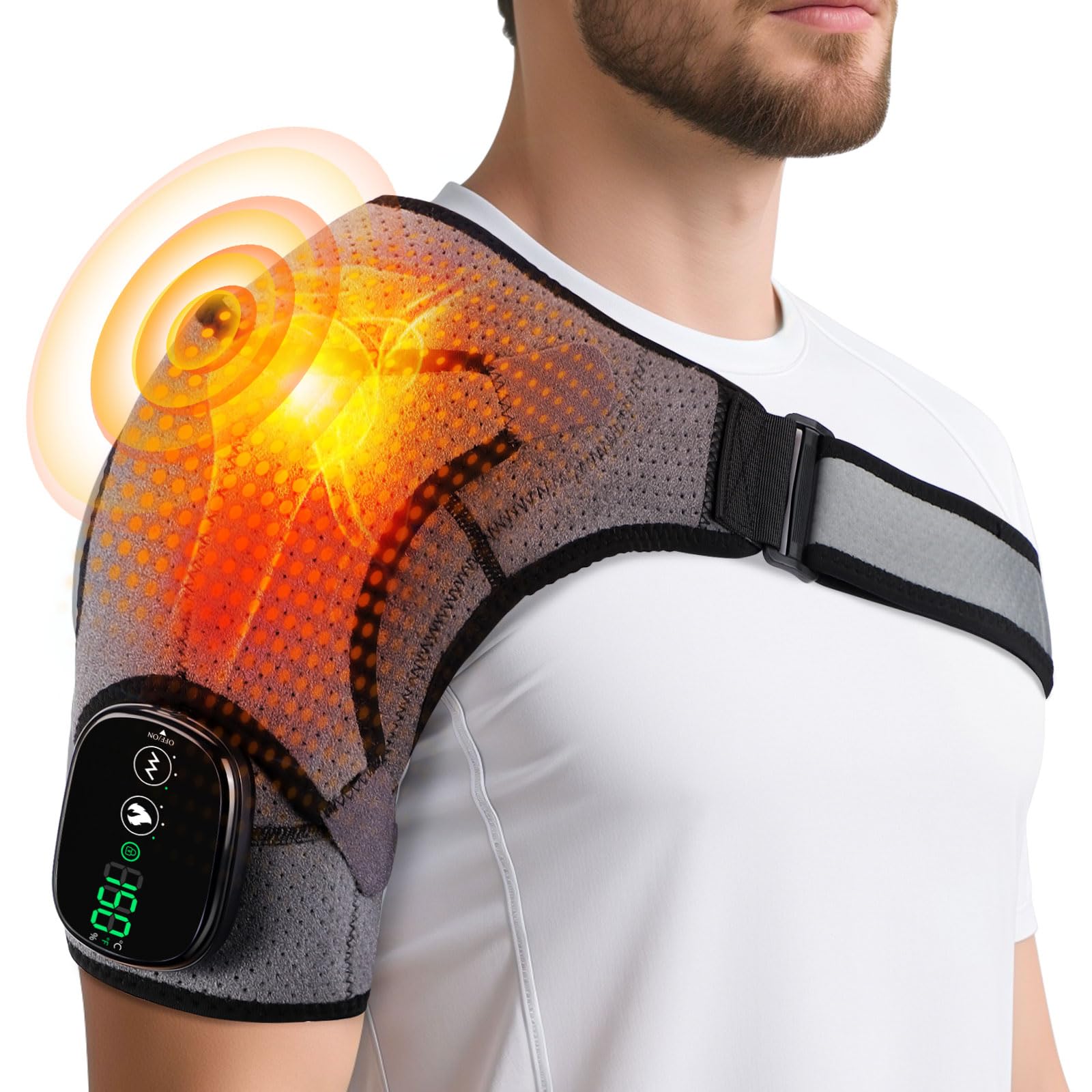
Cordless Shoulder Heating Pad with Vibration for Rotator Cuff Pain Relief, Arm Heated Massage Pad, S
- High-quality product
- Customer favorite
- Best value option

Shoulder Heating Pad, FSA Eligible Items List, Shoulder Massager for Pain Relief Deep Tissue, Heated
- High-quality product
- Customer favorite
- Best value option
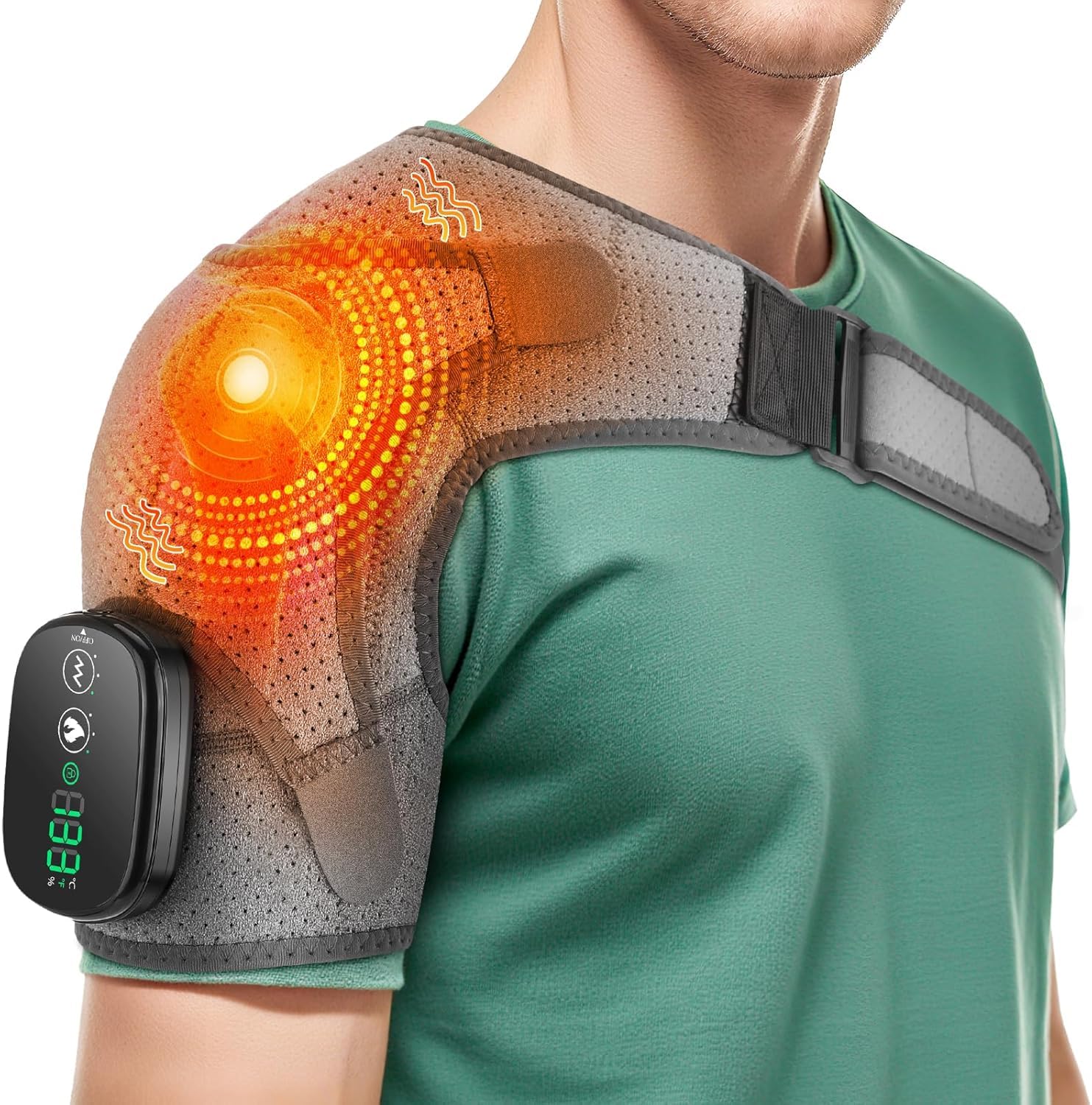
Cordless Shoulder Heating Pad, Shoulder Massager for Pain Relief Deep Tissue, Heated Shoulder Wrap w
- High-quality product
- Customer favorite
- Best value option
How do ergonomic chairs provide shoulder pain relief?
Ergonomic chairs function as postural support systems that stabilize the thoracic spine by utilizing 4D adjustable armrests, dynamic lumbar support, and synchro-tilt mechanisms to offload weight from the trapezius muscles during long-duration computer use. These chairs are engineered to distribute the user's weight across the ischial tuberosities, preventing the pelvis from tilting posteriorly and causing a compensatory slouch in the upper back. High-performance models like the Herman Miller Aeron or Steelcase Gesture are designed specifically to support the scapula while allowing for a full range of arm motion.
A critical feature for shoulder relief is the armrest adjustability. Armrests should be positioned so that the elbows rest at a 90-to-100-degree angle, with the shoulders relaxed and neutral. If armrests are too wide, the user must abduct their arms, which places constant tension on the rotator cuff. Conversely, if armrests are too high, they force the shoulders into a shrugged position. Research indicates that properly adjusted armrests can reduce the load on the glenohumeral joint by up to 20%.
| Feature | Standard Office Chair | Premium Ergonomic Chair | Impact on Shoulder Pain |
|---|---|---|---|
| Armrest Adjustment | Fixed or Height Only | 4D (Height, Width, Depth, Pivot) | Eliminates arm abduction and shrugging |
| Backrest Design | Flat or Simple Curve | S-shaped with Thoracic Support | Prevents forward rounding of shoulders |
| Tilt Mechanism | Center Tilt | Synchro-tilt / Weight-sensitive | Maintains alignment during recline |
| Material | Foam/Fabric | Breathable Mesh or Adaptive Polymer | Reduces heat buildup and local muscle fatigue |
Is a high-back chair better for shoulder relief?
High-back chairs provide superior cervical spine and head support, which indirectly relieves the shoulders by reducing the weight the levator scapulae must carry. If the head is not supported and drifts forward by just one inch, the effective weight of the head increases by 10 pounds, significantly straining the upper back and shoulders.
[INTERNAL_LINK: "Upper Back Pain Ergonomics" → "upper-back-pain-solutions"]
What are the best desk height settings for shoulder health?
Desk height settings for shoulder health are anthropometric configurations that align the work surface with the user's resting elbow height by utilizing height-adjustable desks or keyboard trays, providing a neutral zone for the arms and shoulders. The primary goal is to ensure that the keyboard and mouse are located at a height that allows the forearms to remain parallel to the floor. According to OSHA guidelines, a desk that is even two inches too high can lead to chronic tension neck syndrome within a single work week.
For a person who is 5'10", the standard desk height of 29-30 inches is often too high for seated work, typically requiring a height of 26-27 inches to maintain a neutral shoulder position. If the desk cannot be lowered, the user must raise their chair and use a footrest to maintain proper leg circulation. This adjustment ensures the humeral head remains centered in the glenoid fossa, preventing the chronic "reaching" motion that causes bicipital tendinitis.
How to calculate your ideal desk height:
- Measure your elbow height: Sit in your ergonomic chair with your shoulders relaxed and elbows bent at 90 degrees.
- Distance to floor: Measure the distance from the bottom of your elbow to the floor.
- Subtract keyboard thickness: Subtract 1 inch from this measurement if using a standard keyboard to find your ideal desk surface height.
- Adjust for standing: If using a standing desk, repeat this process while standing with your weight evenly distributed.
Which ergonomic peripherals reduce rotator cuff strain?
Ergonomic peripherals are input devices that reduce rotator cuff strain by facilitating a neutral forearm position through the use of vertical mice, split keyboards, and trackballs, providing relief for users suffering from shoulder impingement. Standard peripherals force the forearm into full pronation, which causes a chain reaction of internal rotation at the shoulder. By using a vertical mouse, the hand is placed in a "handshake" position, which aligns the radius and ulna and keeps the shoulder in a more open, external orientation.
Split keyboards, such as the Kinesis Advantage2, allow the user to separate the two halves of the keyboard to match their shoulder width. This prevents "winging" of the scapula and reduces the tension in the pectoralis minor muscles, which, when tight, pull the shoulders forward. Studies have shown that using a split keyboard can reduce electromyography (EMG) activity in the upper trapezius by 12% compared to traditional flat keyboards.
Top Peripherals for Shoulder Relief in 2026:
- Vertical Mice: Models like the Logitech MX Vertical reduce muscle activity by 10%.
- Split Keyboards: Allow for "tenting," which reduces forearm pronation and shoulder internal rotation.
- Monitor Arms: Devices like the Ergotron LX allow for precise positioning, preventing the "turtle neck" posture that strains the shoulders.
- Document Holders: Placing documents between the keyboard and monitor prevents the repetitive neck and shoulder twisting associated with side-placing documents.
[INTERNAL_LINK: "Carpal Tunnel Prevention" → "wrist-ergonomics-guide"]
How can standing desks alleviate shoulder tension?
Standing desks are height-adjustable workstations that alleviate shoulder tension by enabling postural transitions and reducing static muscle loading through the use of electric lift mechanisms, providing a dynamic environment that prevents the collapsing thoracic posture typical of seated work. While sitting, the core muscles often disengage, leading to a rounded back and protracted shoulders. Standing naturally encourages a more "upright" spinal alignment, which allows the scapular stabilizers (like the rhomboids and lower trapezius) to function more effectively.
However, standing desks must be used correctly to avoid "standing fatigue." The NIOSH recommended ratio is 20 minutes of sitting for every 8 minutes of standing, followed by 2 minutes of moving or stretching. If a user stands for too long without an anti-fatigue mat, they may begin to lean on the desk, which creates "shrugged" shoulders and can lead to bursitis.
Best Practices for Standing Desk Shoulder Health:
- Monitor Level: Ensure the top third of the screen is at eye level to prevent downward head tilt.
- Elbow Angle: Keep elbows at 90-100 degrees; the desk should be slightly below elbow height.
- Core Engagement: Lightly engage the abdominals to prevent "swayback," which pulls the shoulders out of alignment.
- Footwear: Use supportive shoes; standing in flat or unsupportive shoes can cause a kinetic chain reaction that ends in shoulder tension.
Frequently Asked Questions About shoulder pain relief office
What is the single most effective ergonomic change for shoulder pain?
Lowering the keyboard and mouse to resting elbow height is the most effective change because it immediately deactivates the upper trapezius and levator scapulae muscles. This adjustment can reduce localized muscle fatigue by up to 25% within the first hour of implementation.
Can a monitor arm actually help my shoulders?
Monitor arms help shoulders by allowing the screen to be positioned at the correct depth (20-30 inches from the eyes), preventing the user from leaning forward. Leaning forward increases the torque on the cervical-thoracic junction by approximately 30 lbs.
How much does a high-quality ergonomic chair cost in 2026?
A high-quality ergonomic chair with 4D armrests and dynamic support typically costs between $800 and $1,600. While the initial investment is high, it can save an estimated $2,500 per year in lost productivity and physical therapy costs.
Are standing desk converters as good as full standing desks?
Standing desk converters are effective for shoulder relief if they offer independent adjustment for the keyboard tray and the monitor height. Converters without a separate keyboard tray often force the user to choose between shoulder strain (desk too high) or neck strain (monitor too low).
Does heat therapy help with office-related shoulder pain?
Heat therapy using a heated shoulder wrap increases blood flow to the rotator cuff tendons, which often suffer from "wringing out" (reduced blood flow) during static office work. Applying heat for 15 minutes can increase tissue elasticity by 10-15%.
How do I know if my shoulder pain is serious?
Shoulder pain is considered serious if it involves numbness, tingling down the arm, or a loss of grip strength, which may indicate thoracic outlet syndrome or a herniated disc. If symptoms persist for more than 14 days despite ergonomic changes, consult a specialist.
What is "Mouse Shoulder" and how do I fix it?
"Mouse Shoulder" is a form of repetitive strain injury caused by reaching too far to the side for a mouse, straining the deltoid and supraspinatus. Moving the mouse closer to the keyboard (or using a "tenkeyless" keyboard) reduces this reaching distance by 4-6 inches.
Is it better to sit or stand for shoulder pain?
Alternating between sitting and standing every 30 to 60 minutes is the best approach for shoulder pain. This prevents any single muscle group from becoming ischemic due to static loading.
Can a footrest help my shoulders?
A footrest helps shoulders by allowing a shorter user to raise their chair to the correct desk height while keeping their feet supported. This maintains a neutral pelvis, which is the foundation for a neutral shoulder position.
What are the benefits of a split keyboard for shoulders?
A split keyboard reduces scapular protraction by allowing the arms to remain in a "neutral width" position. This prevents the "hunched" posture that contributes to tension headaches and rotator cuff irritation.
Should I use a trackball mouse for shoulder pain?
Trackball mice are beneficial because they eliminate the need for whole-arm movement to move the cursor. This restricts motion to the thumb or fingers, reducing the workload on the glenohumeral joint by approximately 40%.
How long does it take for ergonomic changes to reduce pain?
Most users report a 20-30% reduction in pain within the first 48 hours of correcting their desk height and chair settings. Complete resolution of chronic inflammation may take 4 to 6 weeks of consistent ergonomic adherence.
[INTERNAL_LINK: "Neck Strain Office Solutions" → "cervical-spine-ergonomics"]
Technical Verdict: The 2026 Ergonomic Standard
Shoulder Pain Relief: Ergonomic Office Solutions require a multi-faceted approach involving anthropometric desk alignment, 4D armrest utilization, and dynamic postural transitions to successfully eliminate musculoskeletal disorders. Industry data confirms that proactive ergonomic intervention reduces workers' compensation claims by 25% and increases overall typing speed by 12% due to reduced fatigue. The most effective strategy remains the "Neutral Zone" setup: keyboard at elbow height, monitor at eye level, and a chair that supports the thoracic spine's natural curve. Investing in these solutions is not a luxury but a clinical necessity for the modern digital professional. According to the Journal of Occupational Rehabilitation, workers who utilize a combination of ergonomic equipment and micro-breaks report a 40% higher job satisfaction rate.